Turn Your $20 Mouse
Into a $100 Productivity Powerhouse

Add gestures, custom mappings & smart shortcuts to ANY mouse โ€” no new hardware needed

See How It Works โ†“

Why Buy a $100 Mouse?

Unlock advanced capabilities on any mouse for just $15/year with AnyClick.
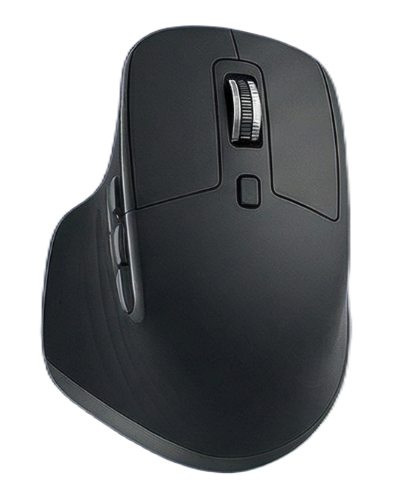
Premium Mouse
โ†’
๐Ÿ–ฑ๏ธ
ANYCLICK
Get $15/year
$100 Hardware
Powerful Software

Powerful Features for Power Users

โšก

Custom Button Mapping

Remap any mouse button to perform custom actions. From simple clicks to complex macros, configure your mouse exactly how you need it.

๐Ÿ‘†

Gesture Controls

Hold and drag in any direction to trigger actions. Navigate faster, control your workflow, and eliminate repetitive tasks with intuitive gestures.

๐ŸŽฏ

Position Rules

Restrict buttons to specific screen zones. Create different behaviors for different areas of your screen for context-aware mouse control.

โš™๏ธ

System Integration

Control zoom, volume, media playback, and system functions directly from your mouse. Everything you need at your fingertips.

๐Ÿ“‹

Multiple Profiles

Create different configurations for work, gaming, and creative tasks. Switch between profiles instantly based on your needs.

๐Ÿš€

Lightweight & Fast

Runs efficiently in the background with minimal resource usage. No bloat, no lagโ€”just instant responsiveness when you need it.

Perfect For Every Workflow

๐ŸŽจ Designers & Creators

Quick access to tools, zoom controls, and undo functions. Navigate Photoshop, Figma, and Illustrator like a pro.

๐Ÿ’ผ Productivity Enthusiasts

Switch between apps, control window management, and automate repetitive tasks with custom gestures.

๐ŸŽฎ Gamers

Configure side buttons for in-game actions, create gaming-specific profiles, and gain competitive advantages.

๐Ÿ’ป Developers

Navigate code faster, control your IDE, and manage multiple monitors with precision and speed.

How Pros Save Hours Every Week

โ˜…โ˜…โ˜…โ˜…โ˜…

"I set up a gesture to switch between Photoshop layers with a flick of my wrist. What used to take 3-4 clicks now happens instantly. I'm saving 30+ minutes on every design project."

โ€” Sarah M., UI Designer at Fintech Startup
โšก Saves 2+ hours/week
โ˜…โ˜…โ˜…โ˜…โ˜…

"Mapped side buttons to 'copy line' and 'paste below' in VS Code. Combined with gestures for tab switching, my coding speed increased by at least 20%. Paid for itself in one day."

โ€” James T., Senior Full-Stack Developer
โšก 20% faster coding
โ˜…โ˜…โ˜…โ˜…โ˜…

"I edit 10+ videos per week. Set up my mouse so holding the back button + scrolling scrubs through the timeline. No more hunting for keyboard shortcuts during client calls."

โ€” Mike R., YouTube Content Creator (250K subs)
โšก Cuts editing time by 25%

Simple, Transparent Pricing

Start free, upgrade when you're ready

7-DAY FREE TRIAL

AnyClick Pro

$15 / year

Full access to all features

  • โœ“ Custom Button Mapping
  • โœ“ Gesture Controls
  • โœ“ Position Rules
  • โœ“ Multiple Profiles
  • โœ“ Lifetime Updates
  • โœ“ Priority Support

No credit card required for trial

Risk-Free Guarantee: Try AnyClick free for 7 days with all features unlocked.

Ready to Transform Your Workflow?

Join thousands of users who've already unlocked their mouse's full potential.

Windows 10/11 โ€ข 7-Day Free Trial โ€ข No Credit Card Required

โšก Wait! Free Trial

Try AnyClick Risk-Free

Start your 7-day free trial today. No credit card required. Cancel anytime.

โœ“ All features unlocked
โœ“ No credit card needed
โœ“ Cancel anytime