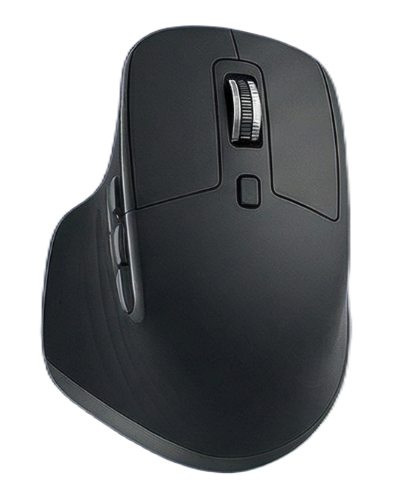
Master Your Mouse.
Boost Your Productivity.

Transform every click, gesture, and scroll into powerful workflows. AnyClick gives you complete control over your mouse like never before.

๐Ÿ–ฑ๏ธ
Advanced Mouse Configuration

Powerful Features for Power Users

โšก

Custom Button Mapping

Remap any mouse button to perform custom actions. From simple clicks to complex macros, configure your mouse exactly how you need it.

๐Ÿ‘†

Gesture Controls

Hold and drag in any direction to trigger actions. Navigate faster, control your workflow, and eliminate repetitive tasks with intuitive gestures.

๐ŸŽฏ

Position Rules

Restrict buttons to specific screen zones. Create different behaviors for different areas of your screen for context-aware mouse control.

โš™๏ธ

System Integration

Control zoom, volume, media playback, and system functions directly from your mouse. Everything you need at your fingertips.

๐Ÿ“‹

Multiple Profiles

Create different configurations for work, gaming, and creative tasks. Switch between profiles instantly based on your needs.

๐Ÿš€

Lightweight & Fast

Runs efficiently in the background with minimal resource usage. No bloat, no lagโ€”just instant responsiveness when you need it.

Perfect For Every Workflow

๐ŸŽจ Designers & Creators

Quick access to tools, zoom controls, and undo functions. Navigate Photoshop, Figma, and Illustrator like a pro.

๐Ÿ’ผ Productivity Enthusiasts

Switch between apps, control window management, and automate repetitive tasks with custom gestures.

๐ŸŽฎ Gamers

Configure side buttons for in-game actions, create gaming-specific profiles, and gain competitive advantages.

๐Ÿ’ป Developers

Navigate code faster, control your IDE, and manage multiple monitors with precision and speed.

Loved by Thousands of Users

โ˜…โ˜…โ˜…โ˜…โ˜…

"Game changer for my design workflow. I can't imagine working without AnyClick anymore. The gesture controls alone are worth it."

โ€” Sarah M., UI Designer
โ˜…โ˜…โ˜…โ˜…โ˜…

"Finally, a mouse configuration tool that actually works as advertised. Simple to set up, powerful to use. Highly recommended!"

โ€” James T., Software Engineer
โ˜…โ˜…โ˜…โ˜…โ˜…

"I've tried many mouse customization apps, but AnyClick is by far the most intuitive and reliable. The position rules feature is genius."

โ€” Mike R., Content Creator

Simple, Transparent Pricing

Unlock your full productivity potential for less than the cost of a coffee

FREE

Free Trial

$0 / 14 days

Try all features with no limitations

  • โœ“ All Features Included
  • โœ“ Unlimited Button Mapping
  • โœ“ Gesture Controls
  • โœ“ Position Rules
  • โœ“ Multiple Profiles
  • โœ“ No Credit Card Required
Start Free Trial
BUSINESS

Team License

$12 / user / year

For teams of 5 or more

  • โœ“ Everything in Pro
  • โœ“ Centralized Management
  • โœ“ Team Profile Sharing
  • โœ“ Volume Discounts
  • โœ“ Dedicated Support
  • โœ“ Invoicing Available
Contact Sales

๐Ÿ’ Risk-Free Guarantee: Try AnyClick free for 14 days. Not satisfied? Get a full refund within 30 days, no questions asked.

Ready to Transform Your Workflow?

Join thousands of users who've already unlocked their mouse's full potential.

Start Free Trial

Windows 10/11 โ€ข 14-Day Free Trial โ€ข No Credit Card Required